
A chatbot should answer from your own pages and stop when it should not guess. Before launch, set the allowed answers, the handoff to a person, and the three numbers to read after week one.
A chatbot helps when it answers a repeated question from a source you control. It hurts when it invents a price or a policy. A visitor does not know the difference between a bot’s guess and your real promise. They only know that your website said it. That is why you must set the boundary before the widget goes live.
What are chatbot boundaries
Chatbot boundaries are simple rules about what your bot may say, what it must not say and what it does when it is stuck. They are not complex. You can write them on one page.
Think of the bot as a new person on your front desk. On the first day, you would tell them what they may answer, what they must pass to a manager and who to call when they are not sure. A chatbot needs the same instructions. The difference is that a person will say “I do not know.” A bot may try to sound helpful and give a wrong answer.
Why boundaries matter before launch
It is easy to think a chatbot is a small add-on. But it speaks for your business all day, including when nobody is watching. Here are the main risks of a bot with no boundaries.
- It invents facts. A bot may state a price, a discount or a delivery time that you never offered.
- It makes promises you cannot keep. A visitor may screenshot the answer and ask you to honour it.
- It gives advice it should not. Legal or medical statements can cause real harm.
- It traps visitors. If the bot cannot help and cannot hand off, the visitor leaves frustrated.
- It spreads old information. If the bot reads old notes, it repeats old hours and old policies.
All of these can be avoided with a short set of rules that you write before the bot goes live. Fixing a public mistake after launch costs more than writing the rules now.
Good first answers
The best first answers are the ones people ask again and again. Start small. You can always add more later.
Hours, location, what you sell and how to book
These four topics answer most simple questions. Write each one clearly on your own site first. Then the bot can read it from there.
- Hours. When are you open, and are there holiday changes?
- Location. Where are you, and how can people find you?
- What you sell. A short list of main products or services.
- How to book. The steps to order, book a visit or ask for a call.
If your website is missing any of these, the bot has nothing to read. Fix the website first.
What you explicitly do not do
This one is often forgotten. People waste time asking for services you do not offer. If you do not repair old models, do not ship abroad or do not work on Sundays, say so. The bot can then give a quick, honest “no” and save time for everyone.
A clear “we do not do this” is also a kind answer. It stops the visitor from waiting for a reply that will never come.
How a person can continue the conversation
Every answer should leave a path forward. The bot should tell visitors how to reach a person if they want more help. This can be a phone number, a WhatsApp link or an email address. The next section explains handoff in detail.
Answers the bot should refuse
A good bot knows when to stop. Here are the types of questions it should not try to answer.
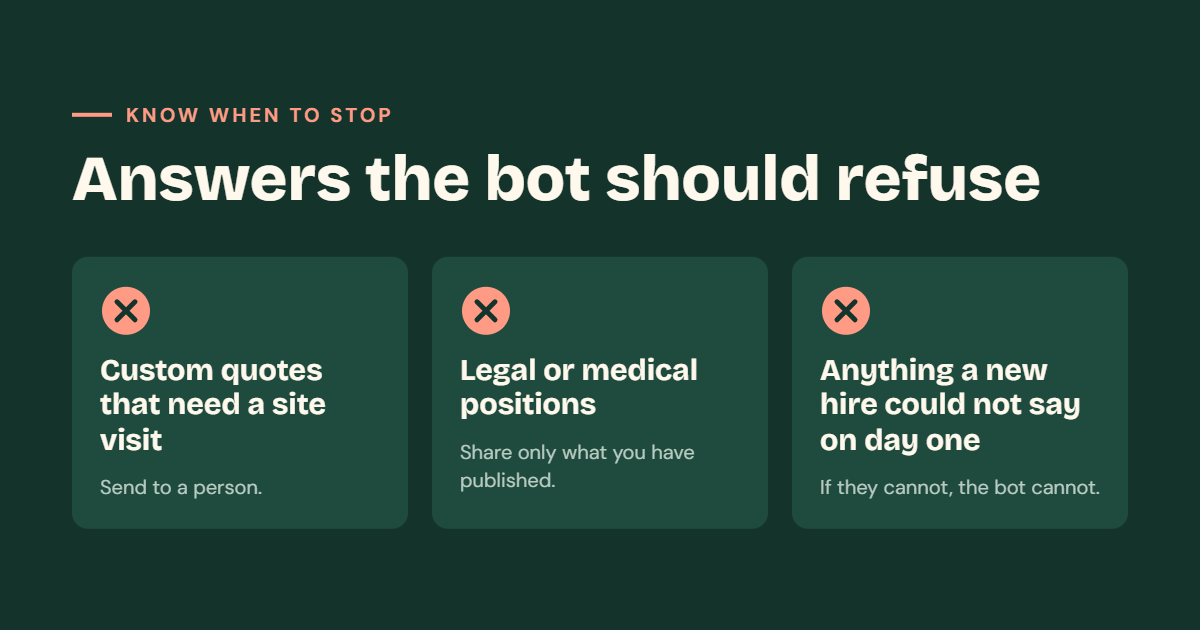
Custom quotes that need a site visit
Some prices depend on a visit, a measurement or a long talk. A painter, an interior designer or a repair shop cannot give a fair price from a chat message. If the bot guesses, it may promise a price that you cannot meet.
Instead, the bot should say that a price needs a visit or a call, and then offer the handoff. You may share starting prices only if they are on your site and true for every case.
Legal or medical positions
A chatbot is not a lawyer or a doctor. If your business is near these topics, such as a clinic, a pharmacy or a legal service, be extra careful. The bot should not say whether someone has a legal right, whether a medicine is safe or what a symptom means.
It can share general facts that you have already published and checked. For everything else, it should send the visitor to a qualified person.
Anything a new hire would not be allowed to say on day one
This is a simple test. Imagine a new person starting at your front desk today. What would you not let them say without checking? Refunds, discounts, delivery promises, special terms and private customer information are common examples.
If a new hire could not say it, the bot should not say it either. Write these topics on your “refuse” list, and tell the bot to pass them to a person.
How a bot should refuse
A refusal does not have to feel cold. A good refusal has three parts.
- A short, kind reply. “I cannot give an exact price in chat.”
- A reason. “It depends on the size of the job.”
- A next step. “You can send us your details, and our team will reply by email.”
This keeps the visitor moving, and it protects you from wrong promises.
Keep one source of truth
Your bot should read from your own pages. Do not keep a second set of facts in a hidden note. If the hours on the contact page disagree with the bot notes, fix the page and point the bot at the page.
Here is why this matters. When a fact lives in two places, one of them will be old soon. A visitor may see the right hours on your website and the wrong hours in the chat. That makes people trust both less.
A simple rule helps: change the website first, then let the bot follow. If you update your prices on the site, the bot gets the new price. If the bot only had a copy, you would have to remember to change it as well.
Handoff before launch
A handoff is the moment the bot passes a visitor to a real person. It is the most important part of your chatbot plan.
Name the channel. It might be WhatsApp, phone or email. Pick the one where your team will really answer. Then name the hours a person actually reads it. If nobody reads WhatsApp after 6 pm, do not say “chat with us anytime.”
A bot with no handoff traps visitors in a conversation that cannot finish. They ask the same question again and again, and they leave.
Good handoff habits:
- Say who will reply and when. For example, “Our team replies by email within one working day.”
- Collect the key details first. Ask for name, contact and a short note, so the person does not start from zero.
- Tell the visitor what happens next. Nobody likes to send a message into silence.
- Test it before launch. Send a message through the handoff and see who gets it and how fast.
If you also track leads, the handoff can feed a sales list. You may like our guide on CRM or spreadsheet for a small sales team.
Three numbers for week one
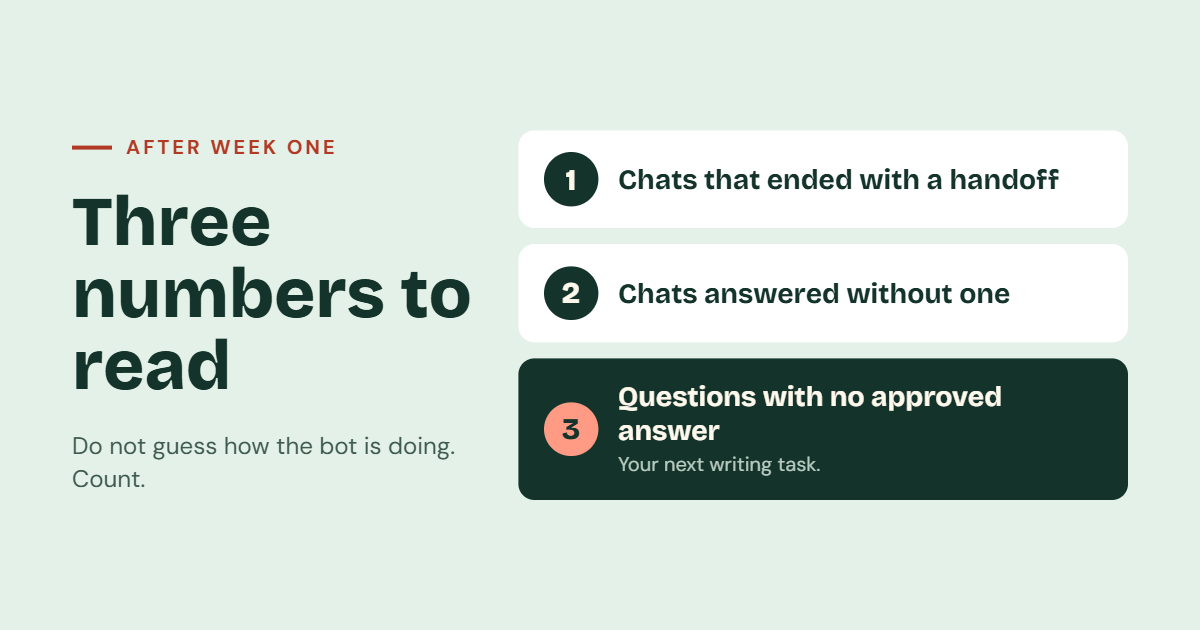
After launch, do not guess how the bot is doing. Read three simple numbers after the first week.
1. Conversations that ended with a handoff
This number shows how often the bot passed the visitor to a person. A handoff is not a failure. It is part of the plan. But if almost every chat ends with a handoff, the bot may not be answering enough. If none do, check that the handoff is easy to find.
2. Conversations answered without one
This number shows how often the bot solved the question by itself. These are the chats where the bot saved your team’s time. Read a few of them. Check that the answers were correct and matched your pages.
3. Questions with no approved answer
This is the most useful number. It lists the questions that visitors asked, but your site had no clear answer for. The bot either refused or sent the visitor to a person.
Together, the three numbers tell you what to do next. A high handoff number points to missing answers. A high “answered alone” number means you should check quality. A long “no approved answer” list means your website needs more content.
The third list is editorial work
The third list is not a bot problem. It is a writing problem. Each question with no approved answer shows that your website is missing a sentence.
Do this each week:
- Read the list of unanswered questions.
- Pick the most common ones.
- Write a short, clear answer on your website.
- Let the bot read the new answer.
This helps real visitors too, because they can find the same answer by reading your page or through search. Over time, the list gets shorter and the bot gets better. For the full steps, read our guide on decisions before you add an AI chatbot.
A simple plan for the first week
If you like a day-by-day plan, use this one.
- Before launch. Write the allowed answers, the refuse list and the handoff. Test the handoff.
- Day 1. Launch the bot. Read the first ten chats the same day.
- Days 2 to 4. Fix any wrong answer by changing the website page first.
- Day 5. Add answers for any question that appears more than once.
- Day 7. Read your three numbers and decide what to improve.
Small, steady changes work better than one big redesign.
Advantages of setting boundaries
- Fewer wrong answers. The bot only speaks from approved pages.
- Less risk. You avoid promises, prices and advice you never meant to give.
- Better visitor trust. People know the bot will say when it cannot help.
- A better website. The missing-answer list shows you what to write next.
Limits to keep in mind
A bot with boundaries is still a tool, not a person. It can misunderstand a question or fail on rare cases. It also depends on your pages. If your site is old, the bot will be old too. Plan to review the bot regularly, and keep someone responsible for the notes and pages it uses. Our maintenance service can help keep your site current after launch.
Who this is for
This guide is for owners and teams who plan to add a chatbot to a business website. It suits shops, clinics, schools, service firms and local businesses. If you want help, see our AI chatbots and our wider AI solutions. If you are still deciding what to build first, read how to scope a first software release.
A quick checklist before launch
- The bot reads only from pages I control.
- My site has hours, location, what we sell and how to book.
- My site says what we do not do.
- I have written a refuse list for quotes, legal, medical and day-one topics.
- I named a handoff channel and the hours it is read.
- I tested the handoff end to end.
- Facts live in one place, and the bot points to it.
- I know who will read the three numbers in week one.
Frequently asked questions
What should an AI chatbot answer on a business website?
It should answer repeated questions from pages you control, such as hours, location, what you sell and how to book. It should also say what you do not do.
What should a chatbot refuse to answer?
It should refuse custom quotes that need a site visit, legal or medical positions, and anything a new hire would not be allowed to say on day one.
What is a chatbot handoff?
A handoff is when the bot passes the visitor to a real person. You should name the channel, such as WhatsApp, phone or email, and the hours a person actually reads it.
Why should the bot use my website pages as its source?
When facts live in one place, they stay correct. If the bot has a separate copy, it may repeat old information.
Which numbers should I check after the first week?
Check conversations that ended with a handoff, conversations answered without one and questions with no approved answer.
What do I do with questions the bot could not answer?
Treat them as writing tasks. Add the missing sentence to your website, then let the bot use it.
Can JantaraX help build a chatbot for my business?
Yes. See our AI chatbots, or contact us to talk about your needs.
Final thoughts
A good chatbot is not the one that answers everything. It is the one that answers the right things, stops when it should not guess and passes the visitor to a person. Set the allowed answers, write the refuse list, name the handoff and read three numbers after week one. Then let your website grow with the questions people really ask.
Planning a chatbot for your business site? Talk to JantaraX about setting the right boundaries before you go live.
Written by Er. Jatin Varshney.